> ## Documentation Index
> Fetch the complete documentation index at: https://docs.plaud.ai/llms.txt
> Use this file to discover all available pages before exploring further.
# Using React Native
You can use Plaud's iOS SDK in React Native through [Expo Native Modules](https://docs.expo.dev/modules/overview/). Use our PlaudPlugin as a starter template for:
1. Connecting to Plaud Devices
2. Syncing audio files
3. Transcription
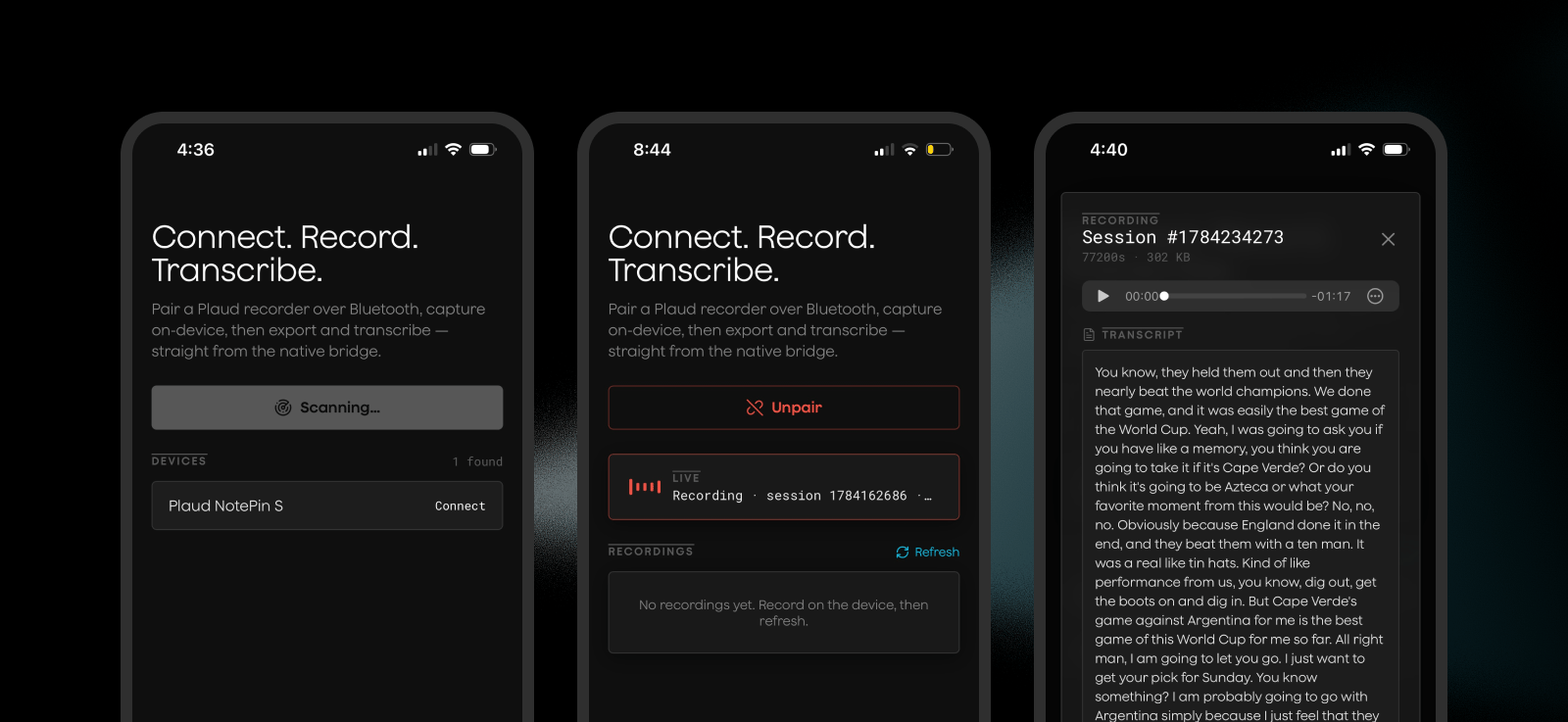 For advanced usage of the Embedded SDK methods for use cases like WiFi fast transfers, we recommend adding more methods to this plugin or using the native [Embedded iOS SDK](/plaud-embedded/ios-sdk) directly
## How it works
Expo is a React Native framework with [Native Modules](https://docs.expo.dev/modules/overview/) for adding more native functionality to your React Native project.
Examples include iOS/Android local storage and bluetooth functionality.
Plaud Embedded's Native module can be easily imported as a typescript interface, brought into your app as an Expo dependency, and runs native code via the [Embedded iOS SDK](/plaud-embedded/ios-sdk).
```
your React Native code
│ import { PlaudSdk, isAvailable } from 'plaud-sdk'
▼
┌─────────────────────────────┐
│ JS layer (src/*.ts) │ requireNativeModule('PlaudSdk'), fully typed,
│ │ degrades to a no-op Proxy off-iOS
└─────────────────────────────┘
│ Expo Modules bridge (AsyncFunction / Events)
┌─────────────────────────────┐
│ Plaud native SDK │ three precompiled .xcframeworks
│ (ios/Frameworks/*) │ BLE / Device / WiFi
└─────────────────────────────┘
```
Plaud's React Native Module uses [Expo's bridge](https://docs.expo.dev/modules/overview/) to pass data between the Javascript layer in your React Native project and the native SDK.
## Running the Demo App
The demo app is included in the Plaud Embedded Module as reference for implementing the module in your own app and seeing how the module works.
```bash theme={"system"}
git clone https://github.com/Plaud-AI/embedded-react-native.git
```
```bash theme={"system"}
cd react-native-demo
npm i
brew install cocoapods #if not already installed
cp .env.example .env
```
You can retrieve your environment credentials from the [developer portal](https://portal.plaud.ai) and generate a token from our [API playground](https://plaud-embedded-playground.vercel.app)
```bash theme={"system"}
npx expo prebuild -p ios
open ios/reactnativedemo.xcworkspace
```
In XCode, make sure to include your Apple developer credentials and certificate.
Then **run on a physical device** to test out the demo app with your Plaud devices.
For advanced usage of the Embedded SDK methods for use cases like WiFi fast transfers, we recommend adding more methods to this plugin or using the native [Embedded iOS SDK](/plaud-embedded/ios-sdk) directly
## How it works
Expo is a React Native framework with [Native Modules](https://docs.expo.dev/modules/overview/) for adding more native functionality to your React Native project.
Examples include iOS/Android local storage and bluetooth functionality.
Plaud Embedded's Native module can be easily imported as a typescript interface, brought into your app as an Expo dependency, and runs native code via the [Embedded iOS SDK](/plaud-embedded/ios-sdk).
```
your React Native code
│ import { PlaudSdk, isAvailable } from 'plaud-sdk'
▼
┌─────────────────────────────┐
│ JS layer (src/*.ts) │ requireNativeModule('PlaudSdk'), fully typed,
│ │ degrades to a no-op Proxy off-iOS
└─────────────────────────────┘
│ Expo Modules bridge (AsyncFunction / Events)
┌─────────────────────────────┐
│ Plaud native SDK │ three precompiled .xcframeworks
│ (ios/Frameworks/*) │ BLE / Device / WiFi
└─────────────────────────────┘
```
Plaud's React Native Module uses [Expo's bridge](https://docs.expo.dev/modules/overview/) to pass data between the Javascript layer in your React Native project and the native SDK.
## Running the Demo App
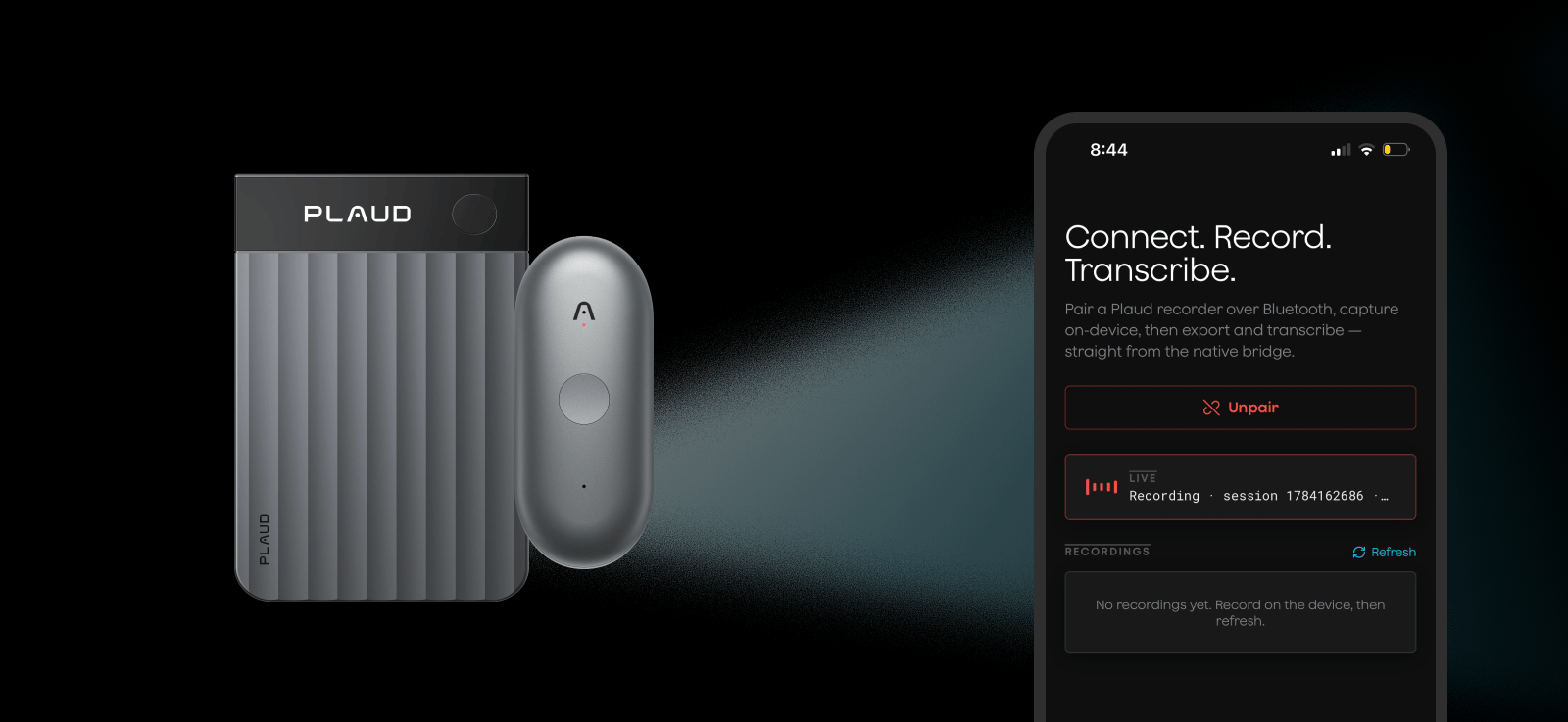
The demo app is included in the Plaud Embedded Module as reference for implementing the module in your own app and seeing how the module works.
```bash theme={"system"}
git clone https://github.com/Plaud-AI/embedded-react-native.git
```
```bash theme={"system"}
cd react-native-demo
npm i
brew install cocoapods #if not already installed
cp .env.example .env
```
You can retrieve your environment credentials from the [developer portal](https://portal.plaud.ai) and generate a token from our [API playground](https://plaud-embedded-playground.vercel.app)
```bash theme={"system"}
npx expo prebuild -p ios
open ios/reactnativedemo.xcworkspace
```
In XCode, make sure to include your Apple developer credentials and certificate.
Then **run on a physical device** to test out the demo app with your Plaud devices.
 ## How to Integrate with your React Native App
Try the Embedded React Native Skill to upload this doc and the codebase context for your agent.
```bash theme={"system"}
npx skills add Plaud-AI/embedded-react-native
```
### Prerequisites
| Tool | Notes |
| -------------------- | ---------------------------------------------------------------------------------- |
| Node.js | v20+ (v24 used here) |
| Xcode | 16.x+, with a physical iPhone + Apple ID |
| CocoaPods | `brew install cocoapods` |
| An Expo-based RN app | Expo SDK 52+ recommended (this repo uses SDK 57) `npx install-expo-modules@latest` |
### Step 1: Clone the Plaud Embedded React Native Repo
```bash theme={"system"}
git clone https://github.com/Plaud-AI/embedded-react-native.git
```
This repo includes:
1. Expo module for the Plaud iOS SDK for basic functionality
2. Example React Native app
3. Skill for implementing the Plaud Embedded module within projects
### Step 2: Copy the Plaud Embedded Module into your App
At the root of your React Native project, copy the `modules/plaud-sdk` into your project modules.
```bash theme={"system"}
cp -R modules/plaud-sdk your-app/modules/plaud-sdk
```
> Expo will automatically pick up the module and import it
If you are using typescript, add the `plaud-sdk` module to your `tsconfig.json`
```json tsconfig.json theme={"system"}
{
"compilerOptions": {
"paths": {
"plaud-sdk": ["./modules/plaud-sdk"]
}
}
}
```
### Step 3: Add BLE Permissions
In your `app.json` file in your project root, add BLE permissions for the Plaud SDK to leverage iOS's native bluetooth functionality.
```jsonc theme={"system"}
{
"expo": {
"ios": {
"infoPlist": {
"NSBluetoothAlwaysUsageDescription": "Plaud uses Bluetooth to connect to your recorder and sync recordings.",
"UIBackgroundModes": ["bluetooth-central"]
}
}
}
}
```
Then run `expo prebuild` to build your project.
```bash theme={"system"}
npx expo prebuild -p ios
```
### Step 4: Use the Plaud SDK from React Native
You can now import the PlaudSdk typescript interface from the expo module and use the [Embedded iOS SDK](/plaud-embedded/ios-sdk) straight from your React Native project in javascript.
```ts theme={"system"}
import { PlaudSdk } from 'plaud-sdk';
await PlaudSdk.initSDK({
userAccessToken,
customDomain: 'platform-us.plaud.ai',
userId: 'your-app-user-id',
});
const subs = [
PlaudSdk.addListener('scanResult', ({ devices }) => {/* show devices */}),
PlaudSdk.addListener('connectState', ({ connected, failed }) => {
if (connected) PlaudSdk.getFileList(); // ask for recordings once connected
}),
PlaudSdk.addListener('fileList', ({ files }) => {/* show recordings */}),
PlaudSdk.addListener('exportProgress', ({ progress, message }) => {/* progress UI */}),
];
await PlaudSdk.startScan();
await PlaudSdk.connectBleDevice({ uuid: device.uuid });
const { outputPath } = await PlaudSdk.exportAudio({ sessionId, format: 'mp3' });
subs.forEach((s) => s.remove());
```
### Step 5: Run Your App
```bash theme={"system"}
npx expo prebuild -p ios
npx expo run:ios --device # physical iPhone required
```
For the full list of relevant SDK methods for interacting with Plaud devices, see our [iOS SDK reference](/plaud-embedded/ios-sdk).
## How to Integrate with your React Native App
Try the Embedded React Native Skill to upload this doc and the codebase context for your agent.
```bash theme={"system"}
npx skills add Plaud-AI/embedded-react-native
```
### Prerequisites
| Tool | Notes |
| -------------------- | ---------------------------------------------------------------------------------- |
| Node.js | v20+ (v24 used here) |
| Xcode | 16.x+, with a physical iPhone + Apple ID |
| CocoaPods | `brew install cocoapods` |
| An Expo-based RN app | Expo SDK 52+ recommended (this repo uses SDK 57) `npx install-expo-modules@latest` |
### Step 1: Clone the Plaud Embedded React Native Repo
```bash theme={"system"}
git clone https://github.com/Plaud-AI/embedded-react-native.git
```
This repo includes:
1. Expo module for the Plaud iOS SDK for basic functionality
2. Example React Native app
3. Skill for implementing the Plaud Embedded module within projects
### Step 2: Copy the Plaud Embedded Module into your App
At the root of your React Native project, copy the `modules/plaud-sdk` into your project modules.
```bash theme={"system"}
cp -R modules/plaud-sdk your-app/modules/plaud-sdk
```
> Expo will automatically pick up the module and import it
If you are using typescript, add the `plaud-sdk` module to your `tsconfig.json`
```json tsconfig.json theme={"system"}
{
"compilerOptions": {
"paths": {
"plaud-sdk": ["./modules/plaud-sdk"]
}
}
}
```
### Step 3: Add BLE Permissions
In your `app.json` file in your project root, add BLE permissions for the Plaud SDK to leverage iOS's native bluetooth functionality.
```jsonc theme={"system"}
{
"expo": {
"ios": {
"infoPlist": {
"NSBluetoothAlwaysUsageDescription": "Plaud uses Bluetooth to connect to your recorder and sync recordings.",
"UIBackgroundModes": ["bluetooth-central"]
}
}
}
}
```
Then run `expo prebuild` to build your project.
```bash theme={"system"}
npx expo prebuild -p ios
```
### Step 4: Use the Plaud SDK from React Native
You can now import the PlaudSdk typescript interface from the expo module and use the [Embedded iOS SDK](/plaud-embedded/ios-sdk) straight from your React Native project in javascript.
```ts theme={"system"}
import { PlaudSdk } from 'plaud-sdk';
await PlaudSdk.initSDK({
userAccessToken,
customDomain: 'platform-us.plaud.ai',
userId: 'your-app-user-id',
});
const subs = [
PlaudSdk.addListener('scanResult', ({ devices }) => {/* show devices */}),
PlaudSdk.addListener('connectState', ({ connected, failed }) => {
if (connected) PlaudSdk.getFileList(); // ask for recordings once connected
}),
PlaudSdk.addListener('fileList', ({ files }) => {/* show recordings */}),
PlaudSdk.addListener('exportProgress', ({ progress, message }) => {/* progress UI */}),
];
await PlaudSdk.startScan();
await PlaudSdk.connectBleDevice({ uuid: device.uuid });
const { outputPath } = await PlaudSdk.exportAudio({ sessionId, format: 'mp3' });
subs.forEach((s) => s.remove());
```
### Step 5: Run Your App
```bash theme={"system"}
npx expo prebuild -p ios
npx expo run:ios --device # physical iPhone required
```
For the full list of relevant SDK methods for interacting with Plaud devices, see our [iOS SDK reference](/plaud-embedded/ios-sdk).