> ## Documentation Index
> Fetch the complete documentation index at: https://docs.plaud.ai/llms.txt
> Use this file to discover all available pages before exploring further.
# Quickstart
> Plaud Embedded has **two core components** for integrating with Plaud:
iOS & Android SDKs for linking your users' Plaud devices to your mobile app
APIs to upload audio files and transcribe them with Plaud models
To start using these components, you must first onboard to the Plaud Developer Portal to access your client credentials and API keys.
**Try the Plaud Embedded Skill** to have your coding agent guide you through the Plaud Embedded SDK and APIs.
```bash theme={"system"}
npx skills add Plaud-AI/plaud-embedded-skills
```
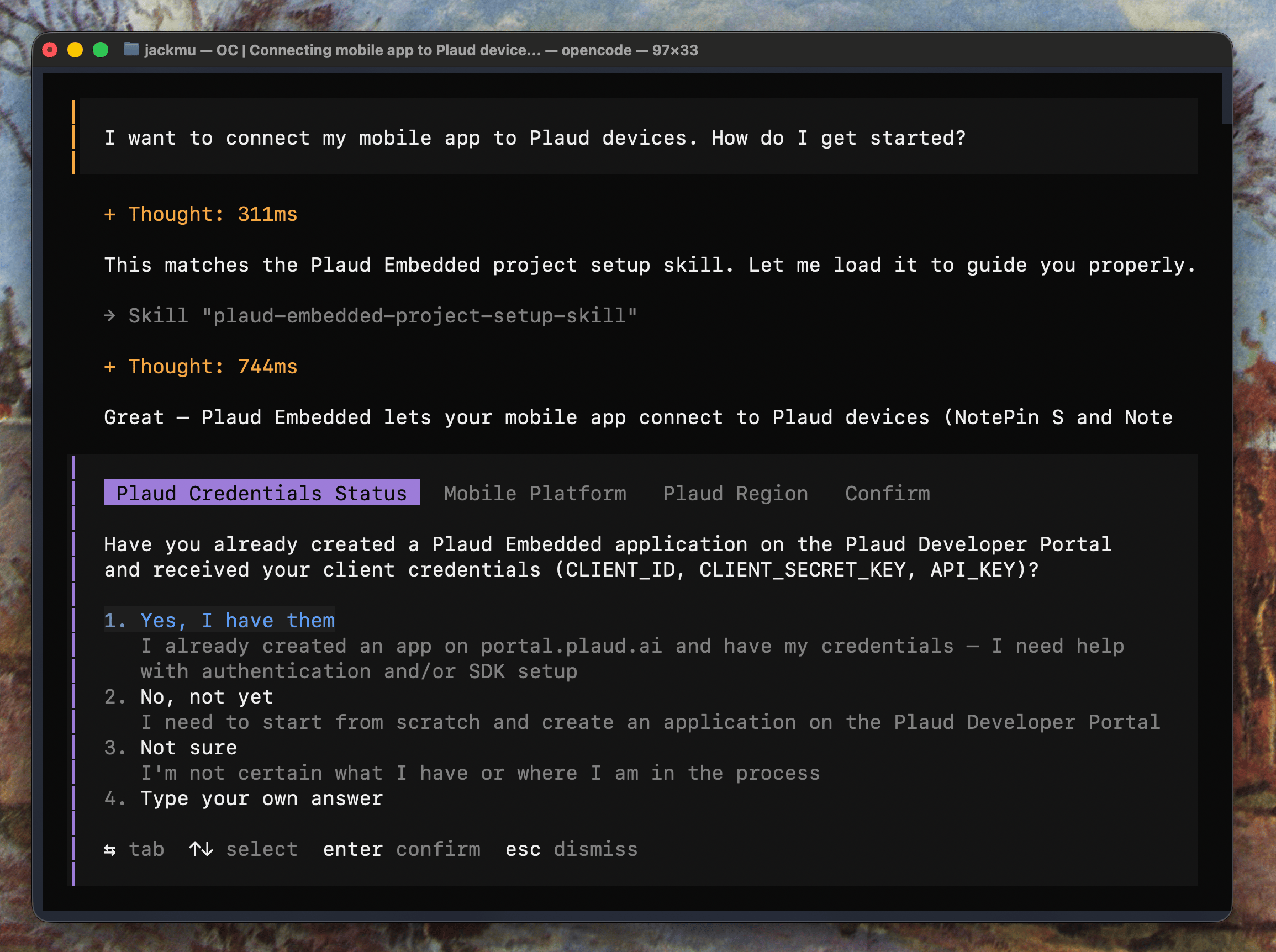 Visit our [GitHub repo](https://github.com/Plaud-AI/plaud-embedded-skills.git) for more details on the skill.
## Onboard to the Plaud Developer Platform
If you don't have access to the **Plaud Developer Platform**, visit **[dev.plaud.ai](https://dev.plaud.ai)** and fill out the contact form. Once your request is reviewed, you'll receive setup instructions and access to the developer console.
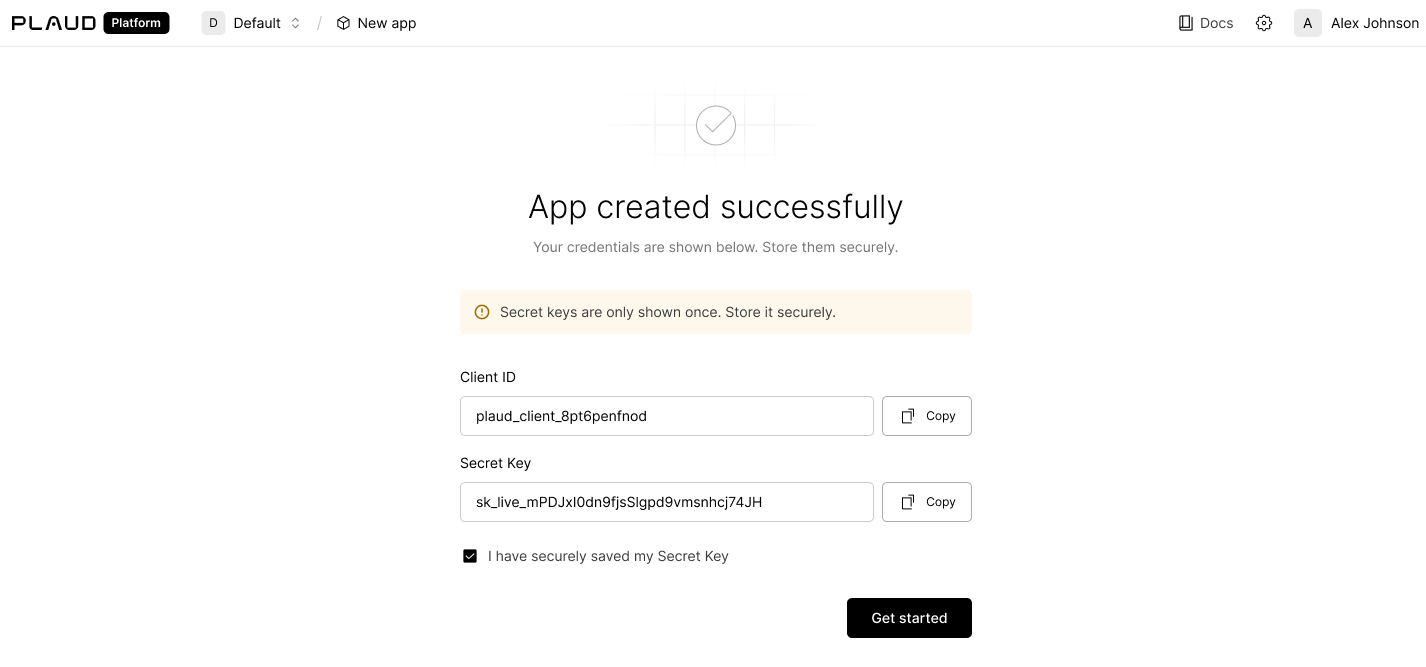
Create an **Embedded SDK Application** to receive your **Client ID** and **Client Secret**.
Visit our [GitHub repo](https://github.com/Plaud-AI/plaud-embedded-skills.git) for more details on the skill.
## Onboard to the Plaud Developer Platform
If you don't have access to the **Plaud Developer Platform**, visit **[dev.plaud.ai](https://dev.plaud.ai)** and fill out the contact form. Once your request is reviewed, you'll receive setup instructions and access to the developer console.
Create an **Embedded SDK Application** to receive your **Client ID** and **Client Secret**.
 ## Create Your API Key
Your **Client ID** and **Client Secret** are used to generate User Tokens and link user devices. Your **API Key** will be used to interact with the [Transcription API](/plaud-embedded/transcription-api-overview) to transcribe audio files, using Plaud's transcription pipeline to provide speech-to-text with noise reduction, language detection, speaker detection, and more.
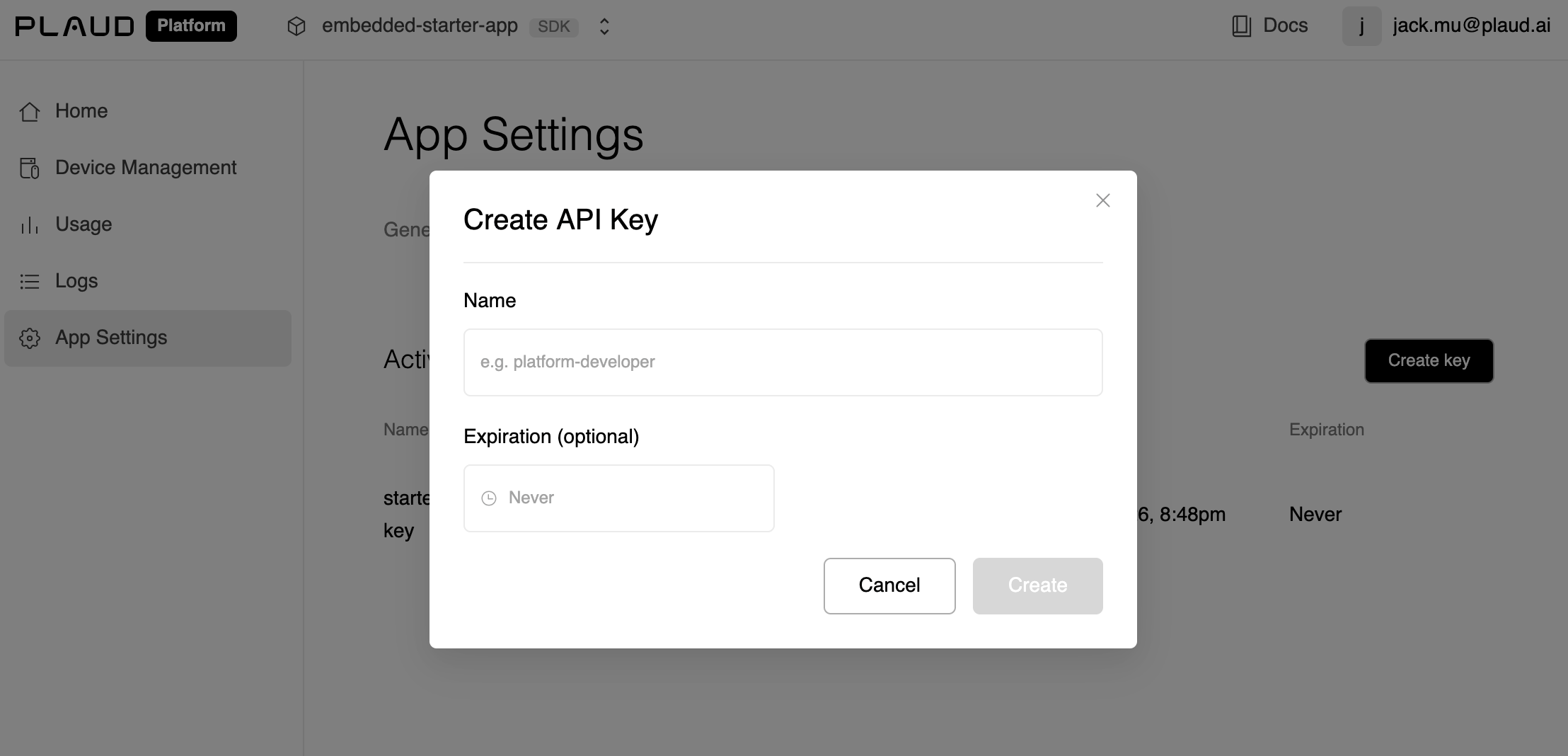
You can grab your **API Key** from your developer portal under App Settings > API Keys
## Create Your API Key
Your **Client ID** and **Client Secret** are used to generate User Tokens and link user devices. Your **API Key** will be used to interact with the [Transcription API](/plaud-embedded/transcription-api-overview) to transcribe audio files, using Plaud's transcription pipeline to provide speech-to-text with noise reduction, language detection, speaker detection, and more.
You can grab your **API Key** from your developer portal under App Settings > API Keys
 ## Find Your Region
Plaud Embedded APIs are served with Plaud's **region-level** API services. There is no global host for these calls; use the host of the region your client was provisioned in.
| Region | Public host | Status |
| --------- | ------------------------------------ | ----------- |
| US | `platform-us.plaud.ai/developer/api` | Available |
| Japan | `platform-jp.plaud.ai/developer/api` | Available |
| Europe | `platform-eu.plaud.ai/developer/api` | Coming soon |
| Singapore | `platform-sg.plaud.ai/developer/api` | Coming soon |
## Ready to Build
If you want a walkthrough of how the SDKs and APIs fit together, read the [How Plaud Embedded Works Guide](/plaud-embedded/how-plaud-embedded-works).
For new builders to build on top of our iOS template with the Embedded SDK pre-implemented (Also a great reference)
For developers ready to jump in and implement the Embedded SDK in their existing mobile app
## Find Your Region
Plaud Embedded APIs are served with Plaud's **region-level** API services. There is no global host for these calls; use the host of the region your client was provisioned in.
| Region | Public host | Status |
| --------- | ------------------------------------ | ----------- |
| US | `platform-us.plaud.ai/developer/api` | Available |
| Japan | `platform-jp.plaud.ai/developer/api` | Available |
| Europe | `platform-eu.plaud.ai/developer/api` | Coming soon |
| Singapore | `platform-sg.plaud.ai/developer/api` | Coming soon |
## Ready to Build
If you want a walkthrough of how the SDKs and APIs fit together, read the [How Plaud Embedded Works Guide](/plaud-embedded/how-plaud-embedded-works).
For new builders to build on top of our iOS template with the Embedded SDK pre-implemented (Also a great reference)
For developers ready to jump in and implement the Embedded SDK in their existing mobile app