> ## Documentation Index
> Fetch the complete documentation index at: https://docs.plaud.ai/llms.txt
> Use this file to discover all available pages before exploring further.
# Device Binding APIs
> APIs to register and sync Plaud device state
Binding a Plaud device involves two steps:
1. **Cloud bind**: registers the device/owner association in the Plaud registry so you can track Connected Device state remotely
2. **Local device bind**: triggered over BLE by the Embedded SDK, which verifies and generates the key pair on-device
The `/bind`, `/unbind`, and `/binding` are used to update the Plaud registry to keep your local device state and remote device state in-sync at all times.
## Using the Device Binding APIs
### Prerequisites
The Device Binding APIs authenticate with a **User Token**. Use the [Authentication API](/plaud-embedded/auth-api-overview) if you don't have a User Token or need a new one.
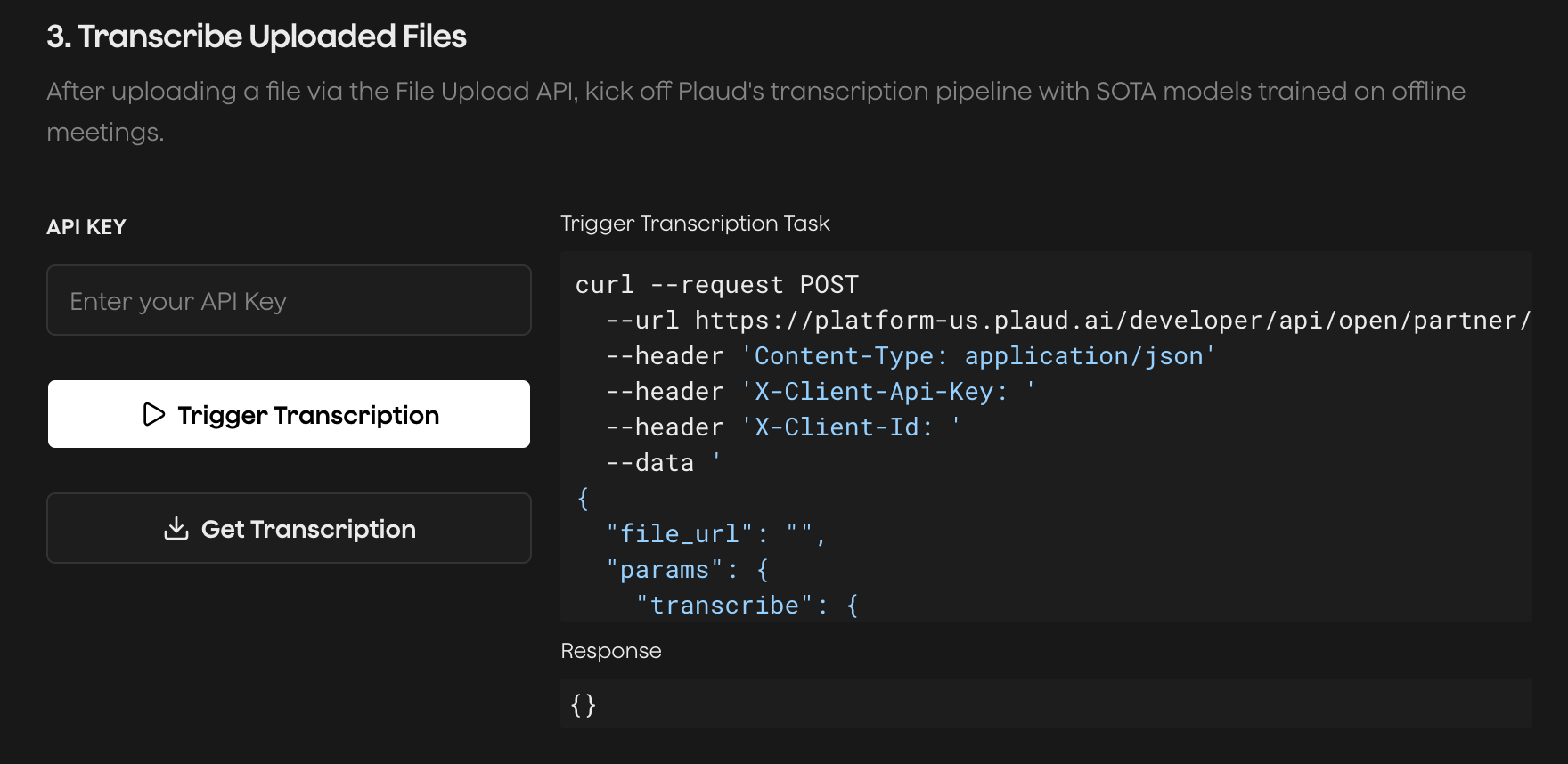
Try the [Plaud Embedded API Playground](https://plaud-embedded-playground.vercel.app/) to see every step of the transcription process with your own client credentials.
End-to-end, from **authentication** to **recording audio** to **uploading** to **transcription**.
 ### Binding a Plaud Device to a User
Binding a Plaud device generates a key pair using the User Token and creates an ownership lock on your users' Plaud device. This makes sure their files on device are always encrypted and can only be decrypted with a valid User Token by your application.
The `POST /sdk/bind` endpoint registers the device/owner association in the Plaud registry.
```http theme={"system"}
POST https://platform-us.plaud.ai/developer/api/open/partner/sdk/bind
Content-Type: application/json
Authorization: Bearer
{
"type": "notepro",
"sn": "8810000000000001"
}
```
```json theme={"system"}
{
"type": "notepro",
"sn": "8810000000000001",
"is_bind": true
}
```
Device type string derived from the SN prefix (`881` → `notepro`, `882` → `notepins`).
Device serial number.
After the cloud bind succeeds, run the local bind over BLE with the Embedded SDK. See [iOS](/plaud-embedded/ios-sdk#connecting-binding-to-a-plaud-device) or [Android](/plaud-embedded/android-sdk#connecting-binding-to-a-plaud-device) for the SDK side of the flow.
Plaud devices can only be bound to one mobile application. If a user is **uninstalling your mobile app, make sure to unbind their Plaud device.**
### Unbinding a Plaud Device to a User
When a user wants to unbind a Plaud device (whether to use with another Plaud Embedded app or the core Plaud app), unbind over both cloud and BLE.
The `POST /sdk/unbind` endpoint removes the device/owner association in the Plaud registry.
```http theme={"system"}
POST https://platform-us.plaud.ai/developer/api/open/partner/sdk/unbind
Content-Type: application/json
Authorization: Bearer
{
"type": "notepro",
"sn": "8810000000000001"
}
```
```json theme={"system"}
{
"type": "notepro",
"sn": "8810000000000001",
"is_bind": false
}
```
Device type string derived from the SN prefix (`881` → `notepro`, `882` → `notepins`).
Device serial number.
Pair this call with the SDK's depair over BLE, which clears the pairing/handshake on the device itself. See [iOS](/plaud-embedded/ios-sdk#standard-unbind) or [Android](/plaud-embedded/android-sdk#standard-unbind) for the SDK side of the flow.
### Recovering a Plaud Device
In certain situations, the cloud and local bind state can go **out-of-sync**, causing the device to lock. Device recovery re-handshakes with each previously bound client ID until one matches the lock on the device, at which point the stale ownership lock is wiped and the device can be bound to the current user.
The `GET /sdk/binding` endpoint returns the remote binding state of a device along with every client ID it has previously been bound to, including bindings made in other apps.
```http theme={"system"}
GET https://platform-us.plaud.ai/developer/api/open/partner/sdk/binding?type=notepro&sn=8810000000000001
Authorization: Bearer
```
```json theme={"system"}
{
"is_bind": false,
"bind_history": [
"b7c1f0a2-4d5e-4a3b-9c8d-1e2f3a4b5c6d",
"3f9e8d7c-6b5a-4938-8271-0a1b2c3d4e5f"
]
}
```
Device type string derived from the SN prefix (`881` → `notepro`, `882` → `notepins`).
Device serial number.
**Response:**
`true` = bound to another account (stop — recovery is not possible), `false` = unbound, `null` = signed but never bound. Run Device Recovery only when this is **not** `true`.
Previously bound client IDs, newest first.
`bind_history` records one entry **per bind event**, so the same client ID can appear more than once — de-duplicate before using it for Device Recovery.
Recovery only applies when the cloud reports the device as **unbound** (`is_bind` is `false` or `null`). If `is_bind` is `true`, the device is genuinely owned by another account and that owner must unbind it first. The SDK cannot override an active binding.
Pass each client ID from `bind_history` to the SDK's recovery connect, which uses that ID as the handshake token and connects with force-clear. See [iOS](/plaud-embedded/ios-sdk#device-recovery) or [Android](/plaud-embedded/android-sdk#device-recovery) for the SDK side of the flow.
### Binding a Plaud Device to a User
Binding a Plaud device generates a key pair using the User Token and creates an ownership lock on your users' Plaud device. This makes sure their files on device are always encrypted and can only be decrypted with a valid User Token by your application.
The `POST /sdk/bind` endpoint registers the device/owner association in the Plaud registry.
```http theme={"system"}
POST https://platform-us.plaud.ai/developer/api/open/partner/sdk/bind
Content-Type: application/json
Authorization: Bearer
{
"type": "notepro",
"sn": "8810000000000001"
}
```
```json theme={"system"}
{
"type": "notepro",
"sn": "8810000000000001",
"is_bind": true
}
```
Device type string derived from the SN prefix (`881` → `notepro`, `882` → `notepins`).
Device serial number.
After the cloud bind succeeds, run the local bind over BLE with the Embedded SDK. See [iOS](/plaud-embedded/ios-sdk#connecting-binding-to-a-plaud-device) or [Android](/plaud-embedded/android-sdk#connecting-binding-to-a-plaud-device) for the SDK side of the flow.
Plaud devices can only be bound to one mobile application. If a user is **uninstalling your mobile app, make sure to unbind their Plaud device.**
### Unbinding a Plaud Device to a User
When a user wants to unbind a Plaud device (whether to use with another Plaud Embedded app or the core Plaud app), unbind over both cloud and BLE.
The `POST /sdk/unbind` endpoint removes the device/owner association in the Plaud registry.
```http theme={"system"}
POST https://platform-us.plaud.ai/developer/api/open/partner/sdk/unbind
Content-Type: application/json
Authorization: Bearer
{
"type": "notepro",
"sn": "8810000000000001"
}
```
```json theme={"system"}
{
"type": "notepro",
"sn": "8810000000000001",
"is_bind": false
}
```
Device type string derived from the SN prefix (`881` → `notepro`, `882` → `notepins`).
Device serial number.
Pair this call with the SDK's depair over BLE, which clears the pairing/handshake on the device itself. See [iOS](/plaud-embedded/ios-sdk#standard-unbind) or [Android](/plaud-embedded/android-sdk#standard-unbind) for the SDK side of the flow.
### Recovering a Plaud Device
In certain situations, the cloud and local bind state can go **out-of-sync**, causing the device to lock. Device recovery re-handshakes with each previously bound client ID until one matches the lock on the device, at which point the stale ownership lock is wiped and the device can be bound to the current user.
The `GET /sdk/binding` endpoint returns the remote binding state of a device along with every client ID it has previously been bound to, including bindings made in other apps.
```http theme={"system"}
GET https://platform-us.plaud.ai/developer/api/open/partner/sdk/binding?type=notepro&sn=8810000000000001
Authorization: Bearer
```
```json theme={"system"}
{
"is_bind": false,
"bind_history": [
"b7c1f0a2-4d5e-4a3b-9c8d-1e2f3a4b5c6d",
"3f9e8d7c-6b5a-4938-8271-0a1b2c3d4e5f"
]
}
```
Device type string derived from the SN prefix (`881` → `notepro`, `882` → `notepins`).
Device serial number.
**Response:**
`true` = bound to another account (stop — recovery is not possible), `false` = unbound, `null` = signed but never bound. Run Device Recovery only when this is **not** `true`.
Previously bound client IDs, newest first.
`bind_history` records one entry **per bind event**, so the same client ID can appear more than once — de-duplicate before using it for Device Recovery.
Recovery only applies when the cloud reports the device as **unbound** (`is_bind` is `false` or `null`). If `is_bind` is `true`, the device is genuinely owned by another account and that owner must unbind it first. The SDK cannot override an active binding.
Pass each client ID from `bind_history` to the SDK's recovery connect, which uses that ID as the handshake token and connects with force-clear. See [iOS](/plaud-embedded/ios-sdk#device-recovery) or [Android](/plaud-embedded/android-sdk#device-recovery) for the SDK side of the flow.